GrabGPU vs amcompute: The Price List Isn't the Whole Answer. Can You Rent the Card?
· comparison

The cheapest price means nothing if you can’t rent the card
You’ve probably done this. You find a tidy price table, pick the lowest H100 rate and open the provider’s console. The card isn’t there. It’s sold out, waitlisted, or the region has disappeared. The price was real. The capacity wasn’t.
That’s the weak spot of comparing on price alone, and it’s why we built GrabGPU. This post compares it with one of the larger price trackers around: amcompute.
What amcompute does well
Credit where it’s due. amcompute’s GPU cloud price comparison covers on-demand and reserved $/GPU-hour for H100, H200, B200, B300 and many more GPUs from a long list of providers. It also offers a CSV download. Its H100 page collects H100 pricing across many providers, and it also counts providers that list the card without publishing a price. amcompute says its prices are read from the provider itself, never from a third-party price-comparison site.
If you’re surveying as many vendors as possible for a budget, reserved terms included, that breadth is useful.
But look for stock on its comparison page and you won’t find any. Its H100 page works from list prices and warns that spot prices move by the hour. A list price tells you what a card costs. It doesn’t tell you whether you can rent one.
What GrabGPU does differently: availability first
GrabGPU is built for the ML engineer who already knows the price and wants one answer: can I rent this card right now?
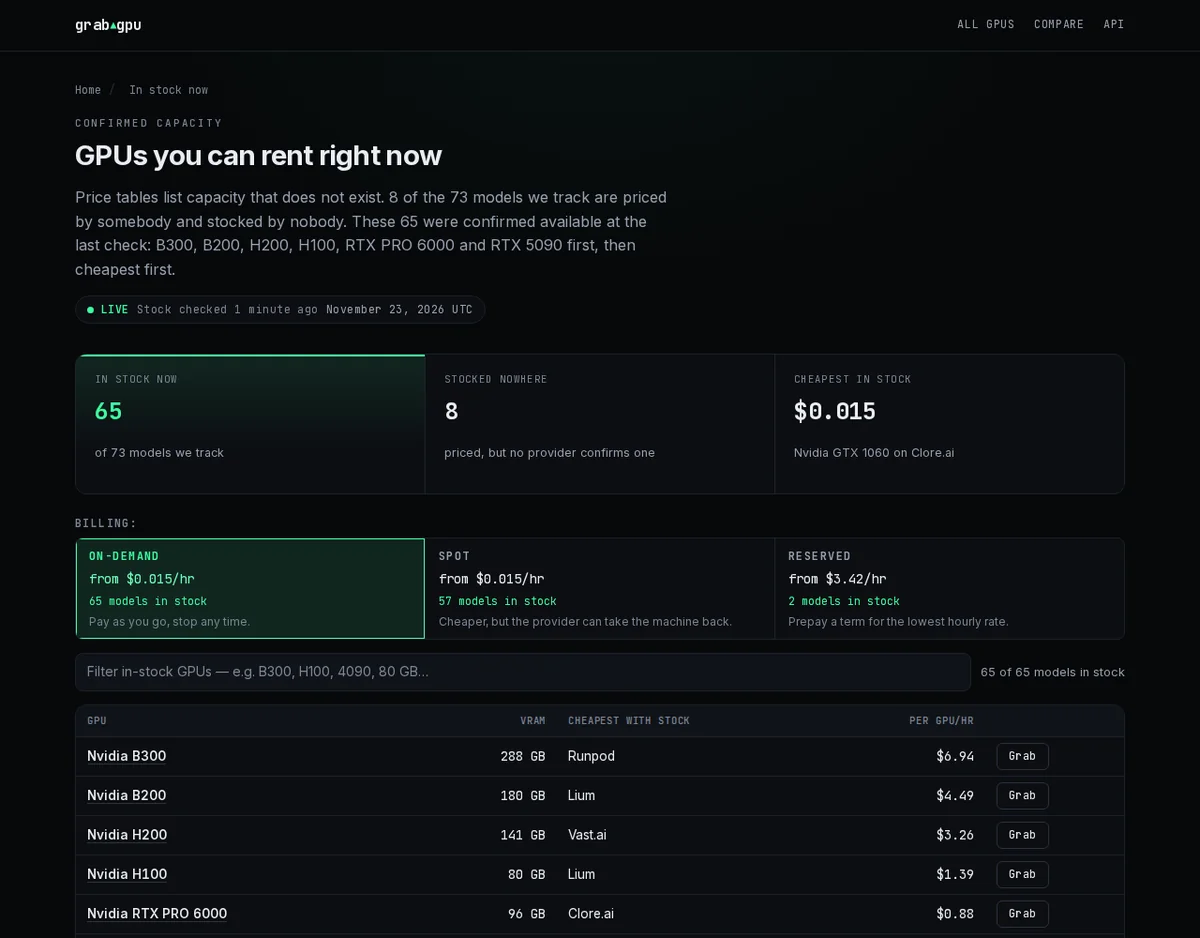
Every price on grabgpu.com comes with the stock the provider reported when we collected it. The GrabGPU homepage reads: “65 of 73 GPU models are rentable right now.” Our data comes straight from public provider and marketplace sources: Shadeform, Vast.ai, RunPod, Lium, Clore.ai, CloudRift, OctaSpace, SimplePod, Verda, and the Nebius and Compshare price pages. We never take data from another comparison site.
The in-stock page: only capacity a provider reports available
Our /in-stock/ page ranks only GPUs a provider reported as available, cheapest first. Filter by on-demand, spot or reserved, then hit Grab to go straight to the provider. Right now the GrabGPU homepage shows an Nvidia H100 at Lium for $1.39/GPU/hr and an Nvidia B300 at RunPod for $6.94/GPU/hr, both with confirmed stock.
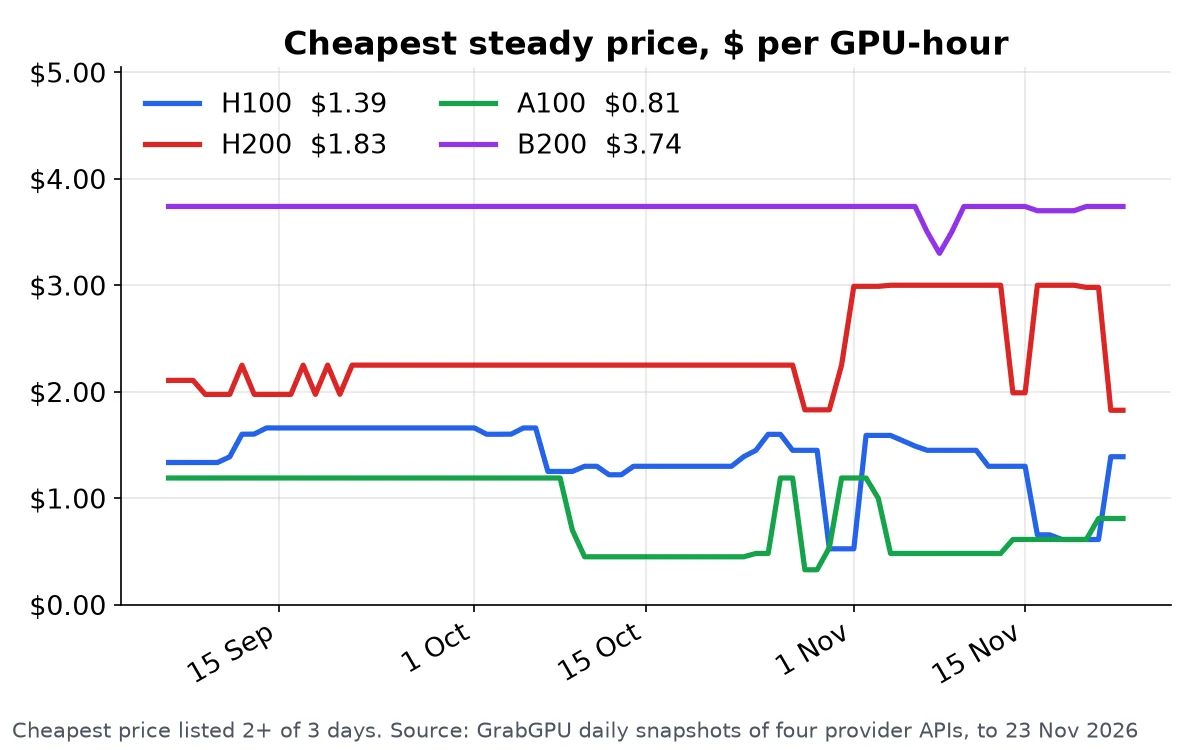
Spot never passes for on-demand
A preemptible bid isn’t the same product as an on-demand hour. GrabGPU keeps billing types apart, so a spot bid never makes a card look cheaper than you can actually rent it for.
Fresh data, and a free API
Every GrabGPU page is built from a fresh snapshot and stamped with the time of the last check. You can pull the same snapshot from the free JSON API at /api/. best-deals.json lists the cheapest GPUs in stock, and gpus.json lists every priced model. The data also comes as Markdown and as an llms.txt file. Every offer carries a link to rent it.
GrabGPU vs amcompute at a glance
- Main question answered: amcompute: what does this GPU list for? GrabGPU: can I rent it now, and where is it cheapest?
- Stock: amcompute: none shown on its comparison page. GrabGPU: every row carries the stock the provider reported, and /in-stock/ ranks only available capacity.
- Coverage: amcompute: a very wide provider list, per its page. GrabGPU: “65 of 73 GPU models are rentable right now” on the homepage.
- Data access: amcompute: a CSV download. GrabGPU: a free JSON API, Markdown and llms.txt.
- Sourcing: both read from providers, never from other comparison sites.
- Billing types: both cover on-demand and reserved. GrabGPU also has a separate spot filter, and spot never headlines a price.
Which one is for you?
For a broad market survey across as many vendors as possible, amcompute’s provider list is hard to beat. If you’re launching a training run tonight and every sold-out console page costs you time, GrabGPU shows you the cards you can actually get. Prices at the cheapest provider and at a typical one can differ a lot, and the cheapest card is usually the first one to sell out. When it’s in stock, grab it before someone else does.
A note on transparency: some Grab links are referral links, and GrabGPU may earn a commission (see Methodology). Prices and stock move, so confirm on the provider’s site before you rent.
Stop chasing sold-out cards
See which GPUs you can rent right now and what they cost, all on one page.